A brush roll that won't spin usually means a jammed roller or a broken belt. We'll show you how to safely remove debris and inspect the belt system to restore your Shark's agitation power.
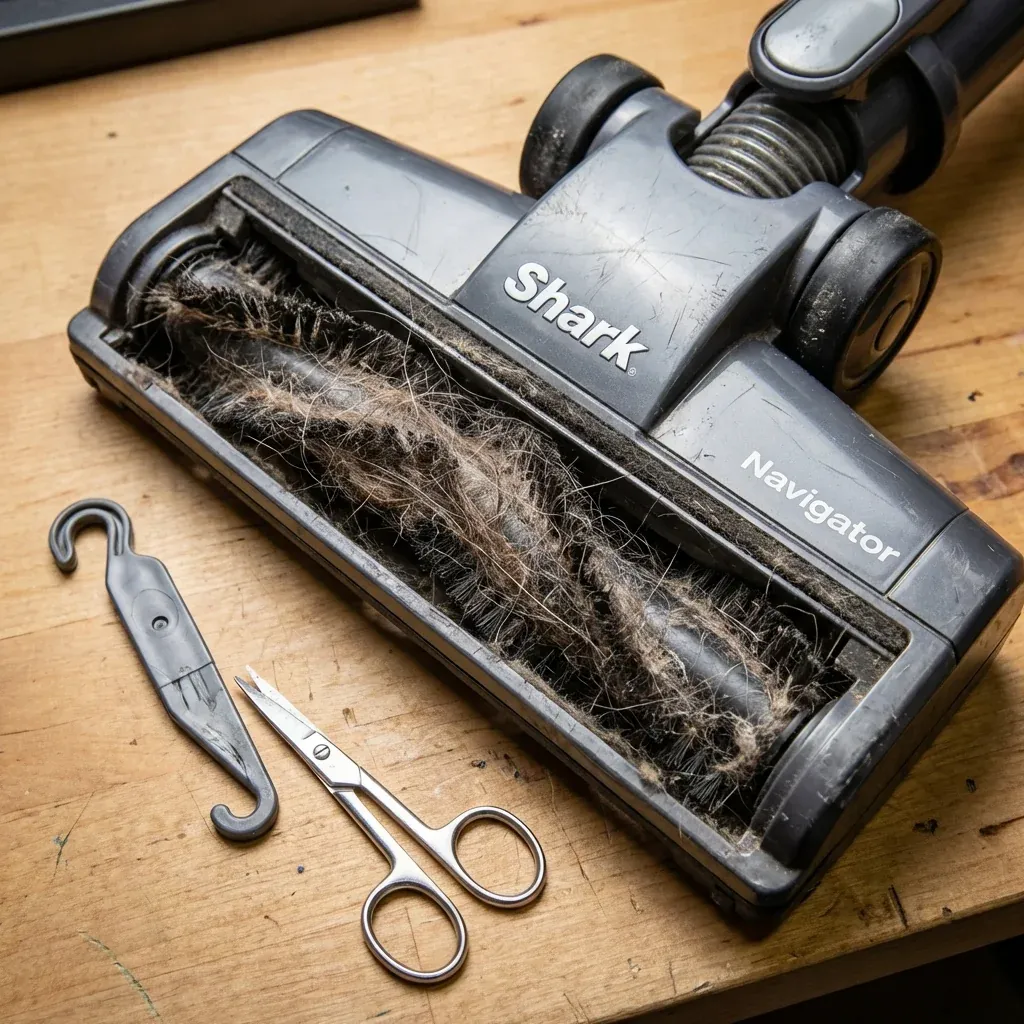
Check for Hair and Debris Buildup
A brush roll that won’t spin usually means a jammed roller or a broken belt. We’ll show you how to safely remove debris and inspect the belt system to restore your Shark’s agitation power.
The number one reason your brush roll stops spinning is hair wrapped around the roller. This happens to everyone, especially if you have pets or long hair in the household.
How to Clean the Brush Roll
-
Turn off and unplug your vacuum. Safety first — never work on a plugged-in vacuum.
-
Flip the vacuum over so you can see the brush roll underneath.
-
Look for the brush roll release tabs on either side. Press them to remove the cover plate.
-
Lift out the brush roll carefully. You may need to wiggle it slightly.
-
Use scissors to cut away hair that’s wrapped around the roller. Be careful not to cut the bristles.
-
Check the end caps (the round pieces on each end). Hair often hides here.
-
Wipe everything clean with a dry cloth before reassembling.
Tip for Seniors: Use a seam ripper (the small sewing tool) instead of scissors. It’s safer and slides under hair more easily.
Check the Belt
If cleaning doesn’t help, your belt may be broken or stretched. The belt connects the motor to the brush roll.
Signs Your Belt Needs Replacement
- Brush roll spins freely by hand (no resistance)
- You smell burning rubber when vacuuming
- The belt looks flat, cracked, or loose
How to Check the Belt
- With the brush roll removed (see steps above), look at the belt.
Shark Robot Battery Replacement: Restore 60-Minute Runtimes
-
If it’s broken, you’ll see two pieces instead of one loop.
-
If it’s stretched, it will hang loosely instead of being tight.
-
Replacement belts cost about $8-15 and are easy to install yourself.
Reset the Brush Roll Indicator
Some Shark Navigator models have a brush roll indicator light. If it’s red, the vacuum thinks the brush is jammed.
How to Reset
-
Turn off the vacuum completely.
-
Unplug it from the wall outlet.
-
Wait 30 seconds.
-
Remove and reseat the brush roll.
-
Plug back in and turn on.
The light should now be green or off.
When to Call for Help
If you’ve tried all three fixes and the brush roll still won’t spin, the motor that powers the brush roll may be dead. This is an internal part that’s difficult to replace at home.
Contact Shark Customer Service at 1-800-798-7398 to discuss repair options or check if your vacuum is still under warranty.